How to Run a Digital Ayurveda OPD: A Practical Guide for BAMS Doctors
22 October 2026 · AyurHealthPlus
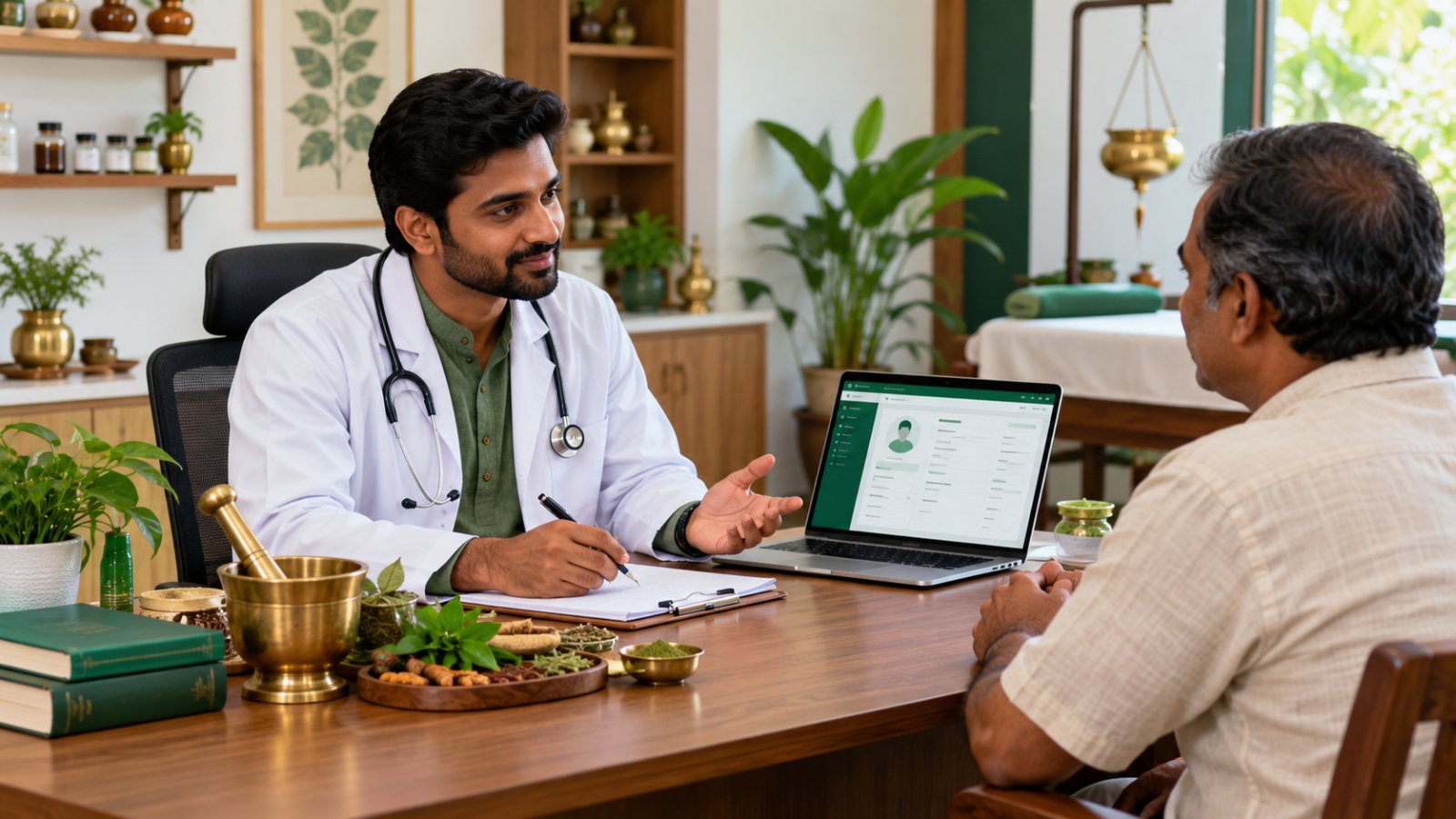
A step-by-step guide to moving an Ayurveda OPD from paper to software — case history, Prakriti and Ashtavidha Pariksha, prescriptions with Anupana, Panchakarma, pharmacy and GST billing — and what to look for in software for Ayurvedic doctors.
Most Ayurvedic OPDs still run on a case-paper register, a prescription pad and a separate bill book. It works until it doesn't: a follow-up patient's old paper can't be found, the Panchakarma room is double-booked, or the doctor has no time to write a full case history on a busy day.
This guide walks through how to run an Ayurveda OPD digitally, step by step, and what to look for in software for Ayurvedic doctors. It is written for BAMS and MD (Ayurveda) doctors running a clinic, a Panchakarma centre or the OPD of an Ayurvedic hospital.
Why paper holds an Ayurveda OPD back
- Case histories get shortened. A complete Ayurvedic history — Prakriti, Agni, Koshtha, Ashtavidha Pariksha, Samprapti — takes time to write. On a busy day it is the first thing skipped.
- Follow-ups lose context. Comparing today's Nadi and symptoms with the first visit means finding the old paper.
- Panchakarma is hard to schedule. Therapy courses run for 7, 14 or 21 days across rooms and therapists.
- Billing and stock live elsewhere. Medicines dispensed in the OPD rarely match the stock register at month end.
Step 1: Register every patient once
Give every patient one record with a clinic OPD number, and find them later by name, OPD number or mobile number — however the mobile was written ("98220 12345", "+91…" or with a leading 0). Every visit, prescription, bill and certificate then stays on the same patient record instead of in separate files. This is what an Ayurveda EMR does.
Step 2: Take a structured Ayurvedic case history
A digital case sheet should follow the way you already examine, not force a modern hospital template on you. Look for fields for:
- Chief complaints, history of present illness, past and family history
- Ashtavidha Pariksha — Nadi, Mala, Mutra, Jihva, Shabda, Sparsha, Drik, Akriti
- Dashavidha Pariksha, Prakriti, Agni and Koshtha
- Dosha, Dushya, Avastha and Samprapti
- Ayurvedic and modern diagnosis, side by side
A quick mode for routine OPD patients and a full case sheet for new or chronic patients lets you choose per patient. See how an Ayurvedic history taking software and a diagnosis case sheet handle this.
Step 3: Let your voice do the typing
The biggest time cost of a digital OPD is typing. With AI patient history taking, you talk to the patient in Marathi, Hindi or English as usual, and the software drafts the case sheet from the conversation. You check and correct every field before saving — the AI never diagnoses or prescribes on its own.
Tip: speak your findings aloud as you examine ("Nadi Vata-Pitta, Jihva saam, Agni manda"). Findings you say clearly are the ones that land in the right fields.
Step 4: Write prescriptions in seconds
An Ayurvedic prescription needs more than a drug name and dose. It needs:
- Classical formulations with dose and timing
- Anupana (vehicle) for each medicine
- Pathya–Apathya — diet and lifestyle advice
- Panchakarma procedures where needed
Save your regular combinations as treatment kits and add them in one tap. Print on your letterhead or send the prescription to the patient on WhatsApp. More on this in Ayurvedic prescription software.
Step 5: Run the queue and follow-ups
Give each doctor a token queue for the day, add walk-ins as they arrive, and set the follow-up date on the prescription. A "follow-ups due today" list means returning patients are expected, not a surprise. For a multi-doctor OPD, each doctor keeps a separate queue while sharing one patient record — see BAMS OPD software.
Step 6: Schedule Panchakarma without double-booking
Create a therapy plan for the patient — Abhyanga, Swedana, Shirodhara, Basti and so on — and schedule each session by date, room and therapist. Record consent before the first session and note each session against the patient's case. See Panchakarma management software.
Step 7: Connect the pharmacy and billing
When medicines are dispensed from the clinic pharmacy, stock should reduce by batch and expiry date and the medicines should be added to the patient's bill automatically. If your clinic is registered for GST, each bill line needs the right rate — consultations and treatments are often exempt, while medicines usually are not — and the bill should show your GSTIN with CGST and SGST. Ask your CA for the exact rates for your clinic.
What to look for in software for Ayurvedic doctors
Before choosing any Ayurvedic software, check:
- Ayurvedic fields, not just modern notes — Prakriti, Ashtavidha Pariksha, Anupana, Pathya–Apathya, Panchakarma.
- Your language — Marathi, Hindi or English, for the screens and for voice history.
- One patient record across visits, bills and therapy.
- Staff roles — reception should book and bill without opening clinical case sheets.
- Data security — encrypted patient records and each clinic's data kept separate.
- No installation — it should run in a browser on a computer, tablet or phone.
- Honest scope — if you need in-patient wards and beds, make sure the software actually covers them.
- Clear pricing — per clinic or per doctor, monthly or yearly.
Our longer checklist is in how to choose the best Ayurveda software in India. If you run a hospital OPD, see the Ayurveda hospital management system page; for a clinic, see Ayurvedic clinic management software.
Start small
You don't need to digitise everything on day one. A practical order:
- Week 1: register new patients and write prescriptions in the software.
- Week 2: start taking case histories — by voice for the busy hours.
- Week 3: turn on the token queue and follow-up reminders.
- Week 4: connect pharmacy stock and billing.
Old patients can be added the next time they visit.
AyurHealthPlus is software for Ayurvedic clinics and hospital OPDs that does all of the above, in Marathi, Hindi and English. See the plans or start the 1-month trial from the homepage.
Written by the AyurHealthPlus team for BAMS and MD (Ayurveda) doctors. Questions? WhatsApp +91 72768 90399 or email support@ayurhealthplus.in.